
How to Preserve Pet Photos and Videos After a Loss
Featured Products

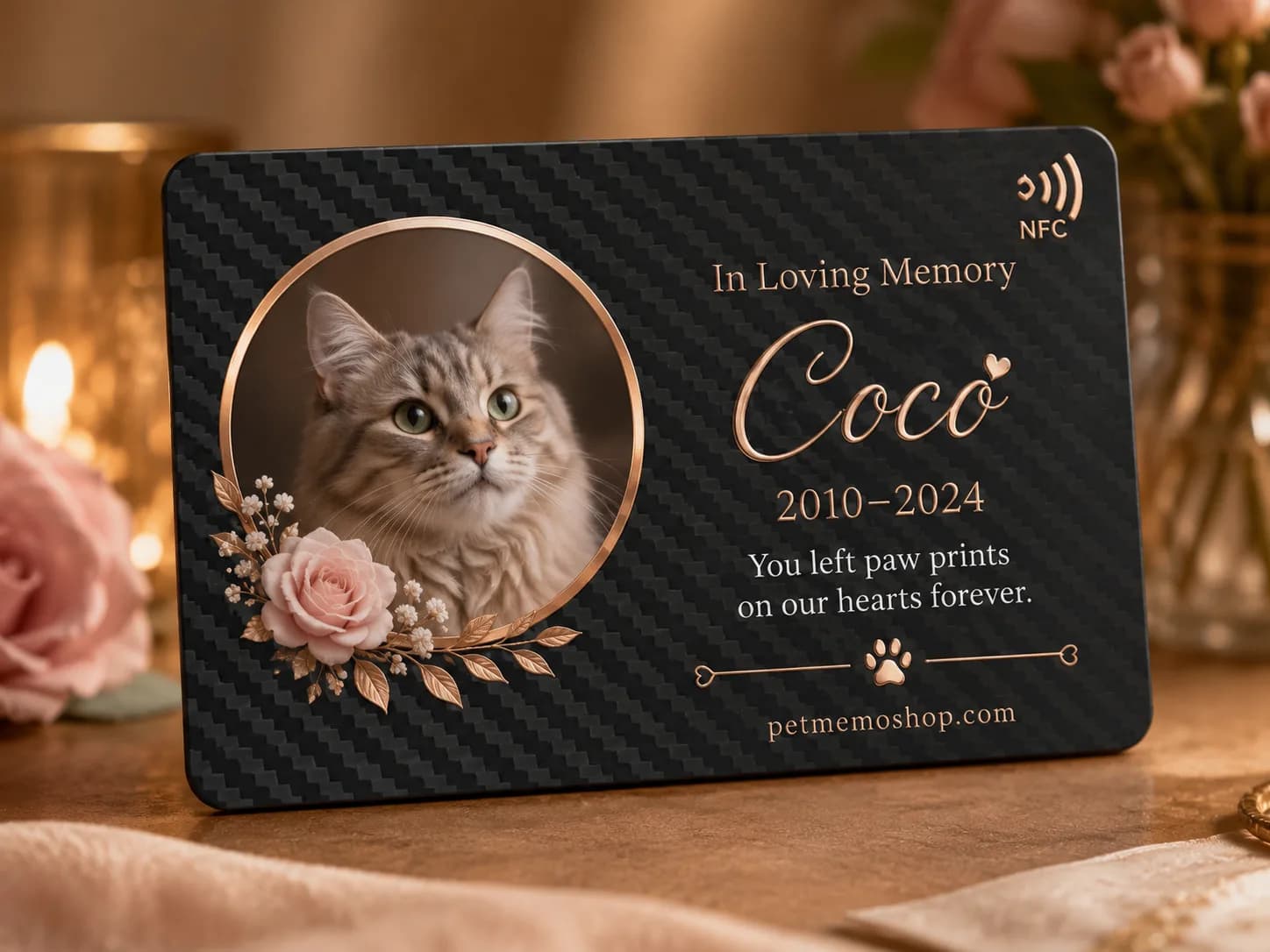
How Do You Preserve Pet Photos and Videos After a Loss?
Keep the original files, make independent backups, and use a memorial page to share selected memories. A practical starting point is the U.S. National Archives' 3-2-1 approach: three copies across two media types, including one copy away from home. National Archives guidance
A photograph of a familiar sleeping spot or a recording of a favorite greeting can matter as much as a formal portrait. You can protect those files before deciding how to arrange a tribute. Start with a small collection if sorting everything feels difficult.
Three Preservation Numbers Worth Knowing
These figures are preservation recommendations, not survey results or estimates of how long grief lasts.
| Recommendation | Authority | What it means for your pet memories |
|---|---|---|
| 3 copies, 2 media types, 1 off-site copy | U.S. National Archives | Avoid depending on a single phone or account |
| Check readability at least once a year | Library of Congress: digital photographs | Open saved files and confirm you can still access them |
| Create new media copies every 5 years, or sooner when necessary | Library of Congress: digital video | Plan to move memories as devices and storage needs change |
The National Archives page was last reviewed on May 26, 2021. The Library of Congress pages do not display a publication date. We checked all three sources on October 19, 2026. These are established preservation guidelines, rather than new 2026 research.
Step 1: Gather the Original Files
Look through the places where your pet's everyday life was recorded: your phone, older computers, memory cards, family members' devices, and previous cloud accounts. Ask relatives for their original photo or video files when possible.
A screenshot of a photograph can lose detail. A clip downloaded from a social feed may differ from the camera recording. The Library of Congress video guide advises retaining the best-quality version available, together with information describing it.
Keep an original folder separate from anything you crop, caption, or shorten for sharing. An edited clip is useful for a tribute, but it need not replace the longer recording with your pet's sounds and familiar movements.
For printed photographs, make a digital copy and retain the print. The National Archives family digitization guide explains that digitization also introduces preservation risks; scanning does not remove the need to care for the physical original.
Step 2: Build a Backup You Can Actually Restore
A folder named Backup on the same phone is still vulnerable if that phone is lost. Put copies on independent storage.
One possible household arrangement is a working collection on your computer, a copy on a separate external drive, and an off-site copy in a cloud backup service. Check that your chosen setup meets your needs for different storage media, physical separation, and recovery.
A synchronized photo library is not automatically an independent backup. Check how the service handles deletion, previous versions, account recovery, and downloading originals. Do not assume that removing an image from your phone leaves every other copy untouched.
Before trusting a backup, download a small selection into a separate test folder. Open several photographs and play a video with sound. Confirm that the recovered files are the ones you meant to save.
Keep recovery information somewhere a trusted person could locate if necessary. Avoid putting passwords into a shared memorial page or a public document.
Step 3: Save the Story Alongside the Image
A file name such as Luna-2019-garden.jpg is easier to understand than a camera's automatically generated name. An approximate year is useful when the exact day is unknown; label uncertainty rather than guessing.
The Library of Congress photo guidance recommends meaningful descriptions and organized folders. Apply that to a short companion document recording your pet's name, nicknames, favorite places, and who appears in important images.
A caption could read: Luna waiting beside the kitchen door, approximately summer 2019. That small detail explains why an otherwise ordinary photograph belongs in the collection.
Save the text outside the memorial service too. A photograph and its story should remain understandable if you later move to another platform.
Step 4: Make a Sharing Collection for the Memorial
Choose a manageable selection for an online pet memorial. Our suggested starting point is one portrait, a few everyday moments, one short video, and a brief story. That is an editorial suggestion, not an archival requirement.
Keep the full collection in your backups. A sharing page serves a different purpose from an archive: it helps family revisit a story without searching through hundreds of files.
Before uploading, check who will be able to view the material. A photo may reveal an address, a child's identity, or a location you prefer to keep private. Keep your untouched original, and make a separate sharing version when edits are needed.
For the page-building steps, see how to create a digital pet memorial page.
Does an NFC Memorial Tag Store the Photos?
In a link-based memorial setup, the NFC tag or QR code opens a web address. The photographs and videos depend on the website or media service behind that address; the physical keepsake is not a substitute for backing up the files.
A carbon fiber NFC memorial tag can offer a convenient way to open a tribute. Keep a written copy of the page address as another access option, and retain your media independently.
When comparing memorial services, ask how to obtain your files, whether you can change access settings, and what happens if hosting terms change. Do not infer a storage guarantee from the durability of the tag. Our NFC and QR comparison explains the access methods.
Set a Reminder to Check the Collection
Choose a date you will remember. The Library of Congress photograph guide recommends a readability check at least annually. It also advises refreshing media copies on a five-year cycle or earlier when needed. Five years is a maintenance guideline, not a promise that a drive will last that long.
During your check, open important files, test a recovery download, and make sure the off-site copy is accessible. Update contact or recovery details after changing accounts. Copy files sooner if a device becomes unreliable or difficult to connect.
You can finish the first round with just a few meaningful images. Protecting them now gives you time to decide how you want to tell the rest of the story.
Sources and Editorial Notes
U.S. National Archives and Records Administration: Digitizing Family Papers and Photographs. Family preservation guidance; page last reviewed May 26, 2021. Supports the backup approach and retaining original prints.
Library of Congress: Keeping Personal Digital Photographs. Undated personal archiving guidance. Supports organizing photographs and periodically checking and renewing copies.
Library of Congress: Keeping Personal Digital Video. Undated personal archiving guidance. Supports preserving higher-quality recordings and maintaining accessible copies.
Sources checked October 19, 2026. The workflow examples and memorial-selection suggestions are Pet Memo Shop's editorial application of this guidance. No household survey, product longevity test, or guarantee of permanent digital storage is implied.
Frequently Asked Questions
Shop Related Collections
Find the Perfect Memorial Gift
Browse personalized keepsakes chosen to match this guide.
Shop Digital Pet Memorial Keepsakes